
AI Face to Many for Multi-Style Creator Portraits
Use the AI face to many page when one authorized portrait needs several persona-led looks for social posts, thumbnails, profile concepts, or creator identity boards. Upload one image, choose a style, choose a persona, set 1-10 outputs, and explore AI portrait styles for content planning.
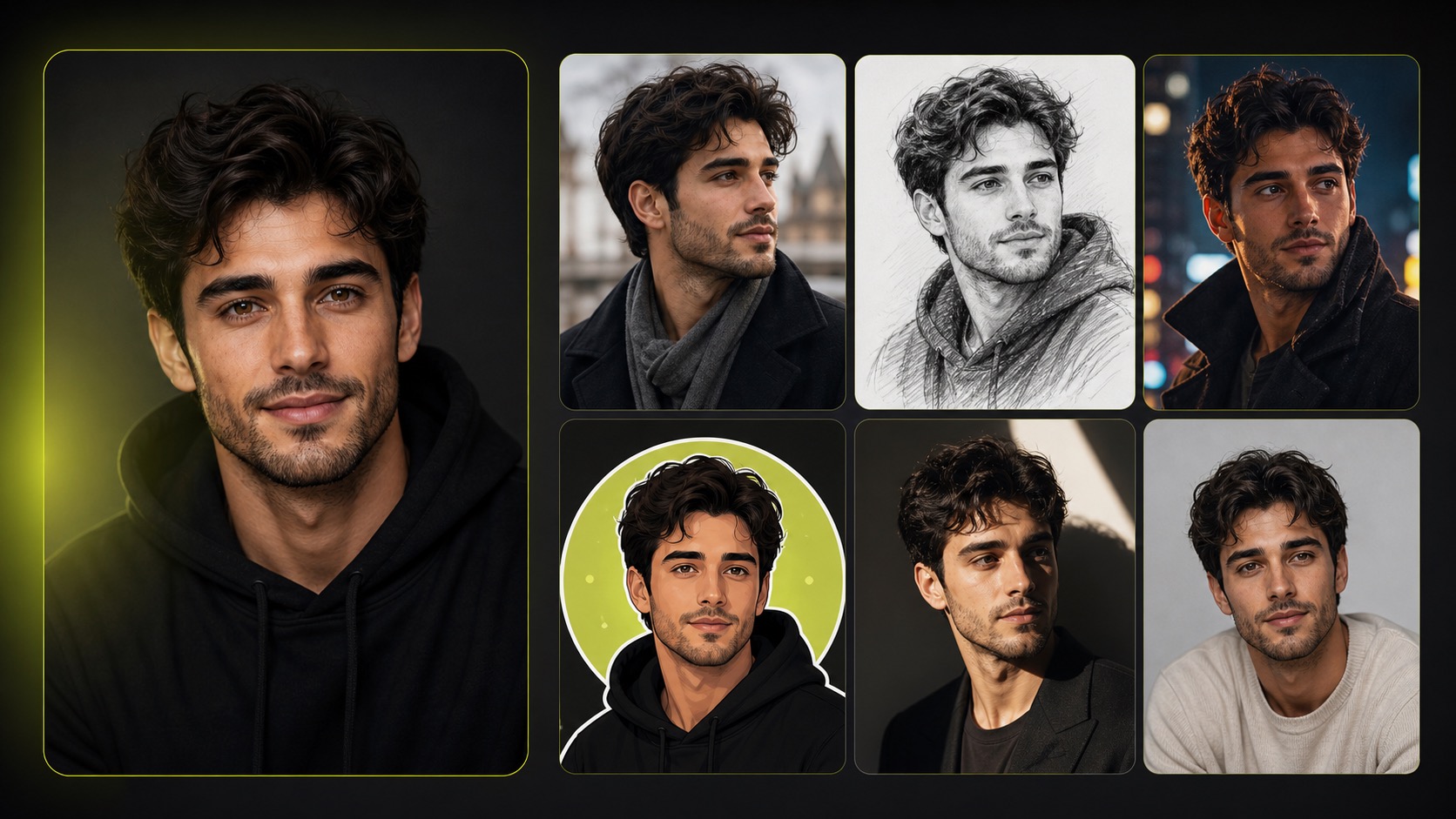
Practical fit
AI face to many: practical buying guide
Use this page to decide whether AI Face to Many is the right Clipin workflow before you spend more credits, not as a promise that every generation will be final on the first try.
When this page is a good fit
- AI face to many is useful when creating reviewed portrait style variations from an authorized face image.
- Choose AI face to many when you need to compare style, identity safety, background choices, and whether the output feels appropriate.
- AI face to many is worth credits when you want multiple portrait styles for profiles, creator kits, moodboards, or character exploration.
- Use AI face to many output as the variations can move into image editing, sticker creation, or broader content planning.
- Review AI face to many results before scaling a batch.
- AI face to many works best when the source material and prompt are clear.
- Keep AI face to many realistic: the page supports creative portrait concepts, not identity proof or unauthorized impersonation.
- Compare AI face to many variations before buying more credits.
- AI face to many can support paid projects when the result passes your own review.
Related workflows to understand first
face style generator helps when you want several face style options from one authorized source.
Use face style generator as a checkpoint before spending more credits.
AI portrait styles helps when you are exploring portrait styles for a creator or brand identity board.
Use AI portrait styles as a checkpoint before spending more credits.
photo style transfer helps when you need style transfer ideas while keeping portrait permission clear.
Use photo style transfer as a checkpoint before spending more credits.
How the AI Face to Many Page Works
This page focuses on practical portrait variation. The current form uses one image, a style selector, a persona selector, optional preserve-background and preserve-outfit switches, and an output-count slider for AI portrait styles.
Single-Image Input
Upload one clear portrait and use AI face to many to explore a set of visual directions. A visible face, simple framing, and permission to edit the image make the result easier to review.
Style Selector for Portrait Experiments
The current style list includes random, anime, cartoon, clay, gothic, graphic novel, Lego, Memoji, Minecraft, minimalist, pixel art, Simpsons, sketch, South Park, toy, and watercolor. Treat the result as photo style transfer concept material, not an exact style match.
Persona Selector for Character Direction
Choose random, angel, astronaut, demon, mage, ninja, Na'vi, none, robot, samurai, vampire, werewolf, or zombie. The selected persona helps frame the portrait as a social character or creator asset.
Optional Background and Outfit Preservation
The current form includes preserve-background and preserve-outfit switches. These controls give the model guidance when you want the variation to stay closer to the source image.
1-10 Outputs With Credit Awareness
Each current AI face to many output uses 15 credits, and the slider can request 1-10 generated images. Use smaller batches when testing a style and larger batches when a concept is already promising.
Useful for Portrait Asset Planning
A portrait variation can become a profile avatar, reaction visual, character card, style reference, or social identity asset. Review the output before moving it into image editing or asset review.
Honest Scope for Better Reviews
The page does not promise manual brush editing, exact identity control, every art style, or ready-to-publish brand assets. Review each generated portrait before using it in public content.
Designed as a Face Style Generator Step
Use this page as a face style generator when a creator or character needs several visual directions before you commit to a profile image, social post, avatar set, or character board.
Pairs With the Image Tools
After choosing a useful variation, continue with background removal, image upscaling, image editing, or sticker generation when the portrait needs to become part of a larger still-image asset workflow.
Consent-First Portrait Workflow
Use authorized portraits only. Do not use private, sensitive, or non-consensual images when making character variations, social visuals, or profile concepts.
Short Processing Loop
The current task estimate is about 15s, though queue and service conditions can vary. Review completed results in the task list and rerun with a different style or persona when needed.
Variation Before Production
The strongest use case is exploration. Generate several portrait directions, select the most useful concept, then refine or place it into a real content workflow.
Creator-Friendly Output Choices
Request one image for a quick test or up to ten when comparing personas. The output count gives creators a practical way to build a small review set instead of relying on one result.
From Portrait Variation to Asset Planning
A useful image can become a profile avatar, character reference, sticker reference, moodboard item, or visual cue for a later still-image editing task.
Start With One Authorized Portrait
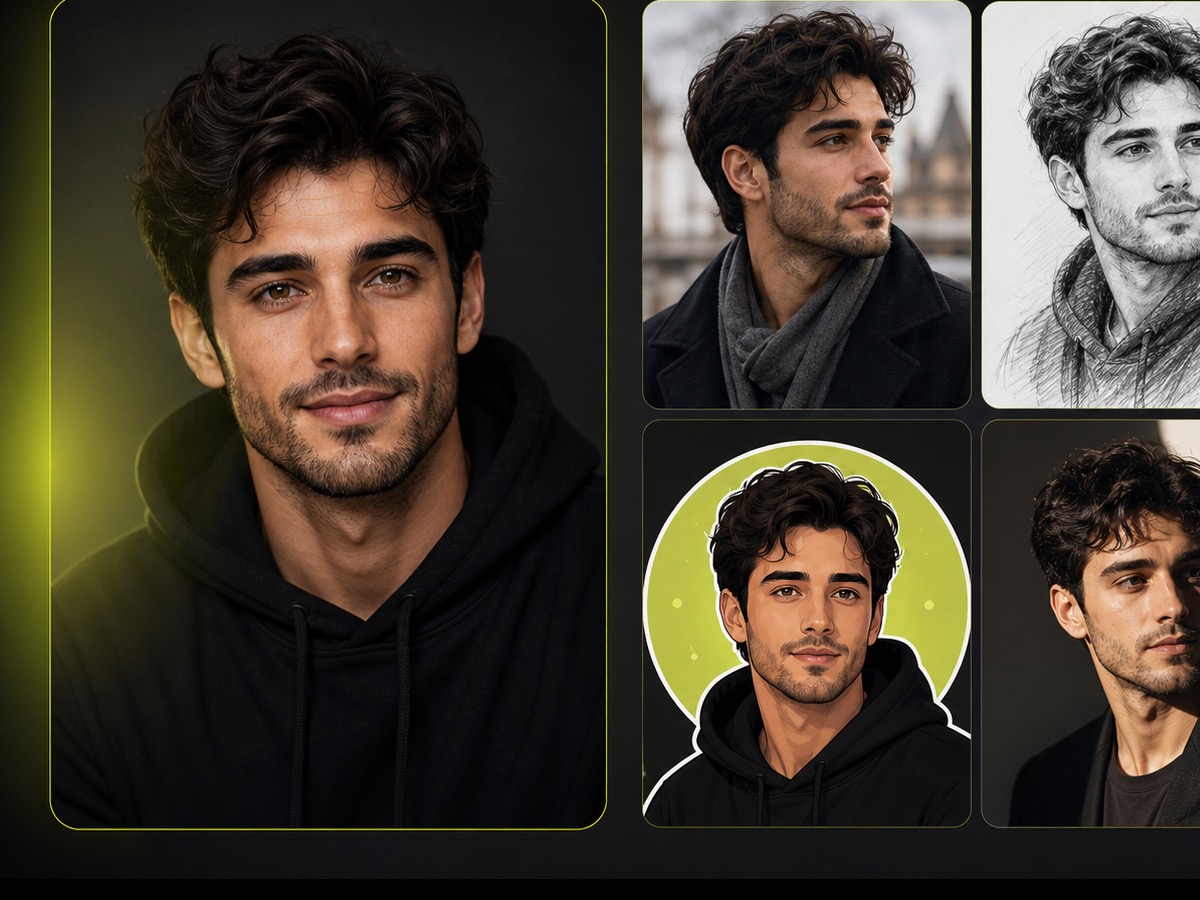
The AI face to many flow is built for a single uploaded image. Use your own photo, licensed material, or a portrait you have permission to edit before creating style variations.
Pick a Style and Persona
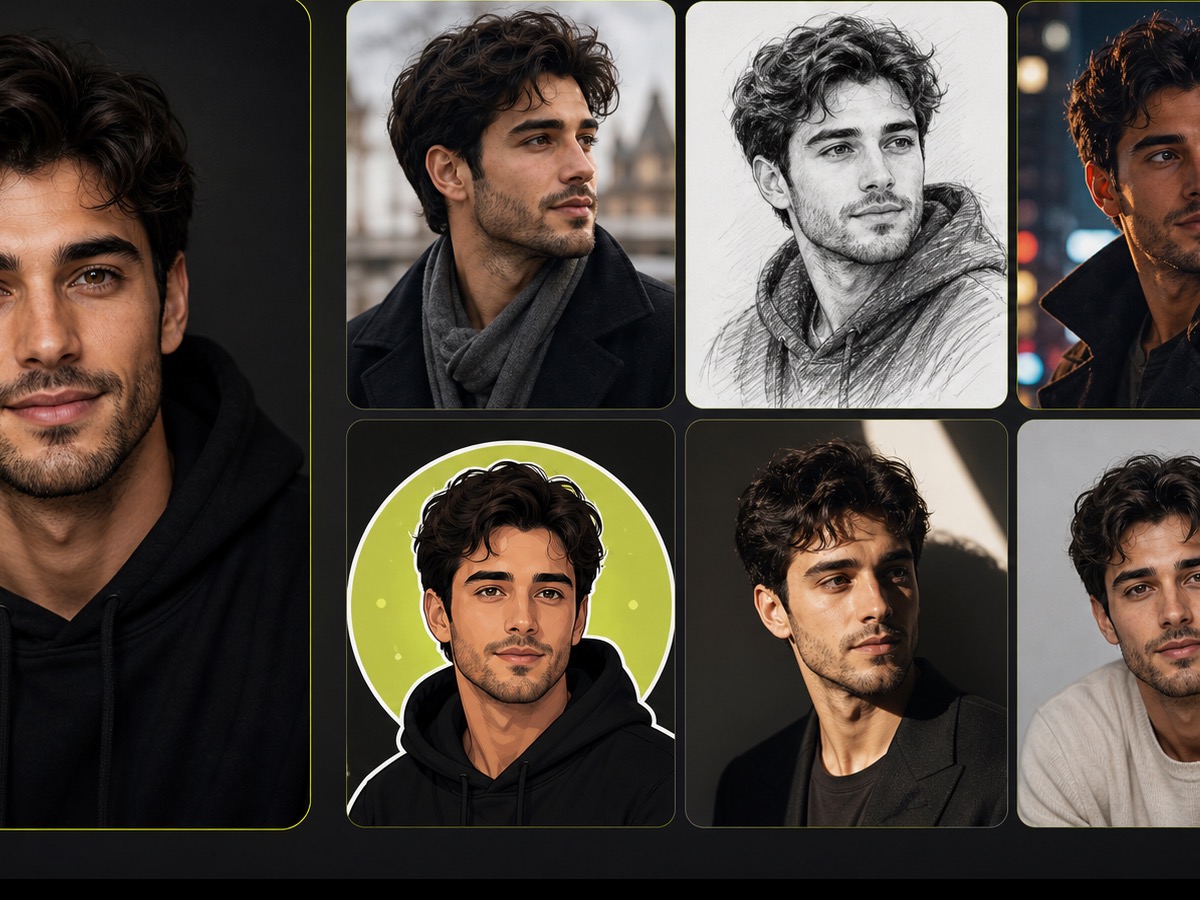
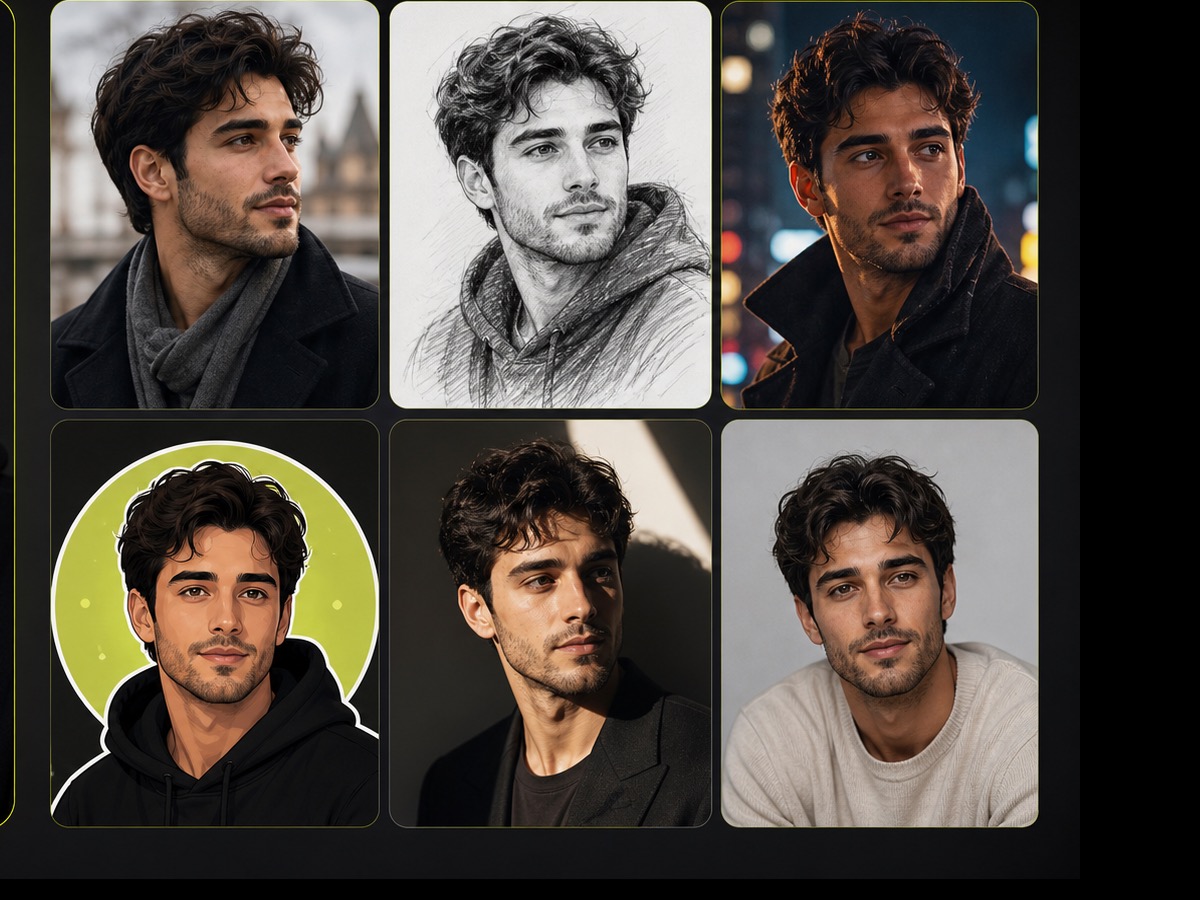
Use the face style generator controls to combine styles such as anime, cartoon, pixel art, sketch, toy, watercolor, or random with personas such as astronaut, mage, robot, samurai, or none.
Create Variations for Content Kits
Generate 1-10 portrait variations, review the useful ones, and keep the strongest image concepts for creator profiles, character boards, avatar tests, or identity reference sets.
AI Face to Many Questions
- the AI face to many page helps turn one authorized portrait into multiple style and persona variations for creator profiles, avatar sets, social posts, and character concept boards.
- Upload one image, choose a style, choose a persona, decide whether to preserve the background or outfit, select 1-10 outputs, and start the task.
- Each current output uses 15 credits. A one-image test uses 15 credits, while ten outputs use 150 credits before any other account conditions apply.
- The current page does not expose a custom style-reference upload. Use the built-in style selector and persona selector for the available creative directions.
- The current selector includes options such as anime, cartoon, clay, gothic, graphic novel, Lego, Memoji, Minecraft, minimalist, pixel art, sketch, toy, watercolor, and random.
- It is related, but this page frames the task around portrait variation. The photo style transfer result depends on the uploaded image, selected style, persona, and model behavior.
- Use a clear portrait with visible facial features, simple framing, and an image you are allowed to edit. Complex scenes or unclear faces may make the variation harder to use.
- Use your own image, licensed material, or portraits where the person has given permission. Avoid private, sensitive, or non-consensual portrait transformations.
- Use the variations as concept assets for profile images, avatar options, character references, reaction cards, or social identity boards. Review outputs before publishing.
- This workflow pairs well with image editor, background remover, image upscaler, and sticker generator when portrait variations need to become larger still-image content assets.
Related Clipin tools
Continue from this tool into the adjacent generator, editor, or pricing page.